
Project Controls Insight Pack
Eleven ready-made Power BI pages that turn your P6 schedules into clear progress, earned value, schedule health and risk reporting. No report building required.
- Unlimited projects
- One-off payment
- Free evaluation
LAUNCH OFFER 30% off company licences with code LAUNCH30 · individual licence from $149
Weekly reporting shouldn't take a week.
Built by project controls people who have spent years exporting P6 into spreadsheets. This pack does that work for you.
Hours every cut-off moving P6 data into Excel and rebuilding the same charts for each project.
Earned value worked out differently on each project, so the portfolio picture never quite adds up.
Missing logic, negative float and slipping milestones spotted at month-end instead of when they start.
11 report pages, ready to use
Every page has filters for project, WBS, discipline and area, and a plain-English key message written from your data.
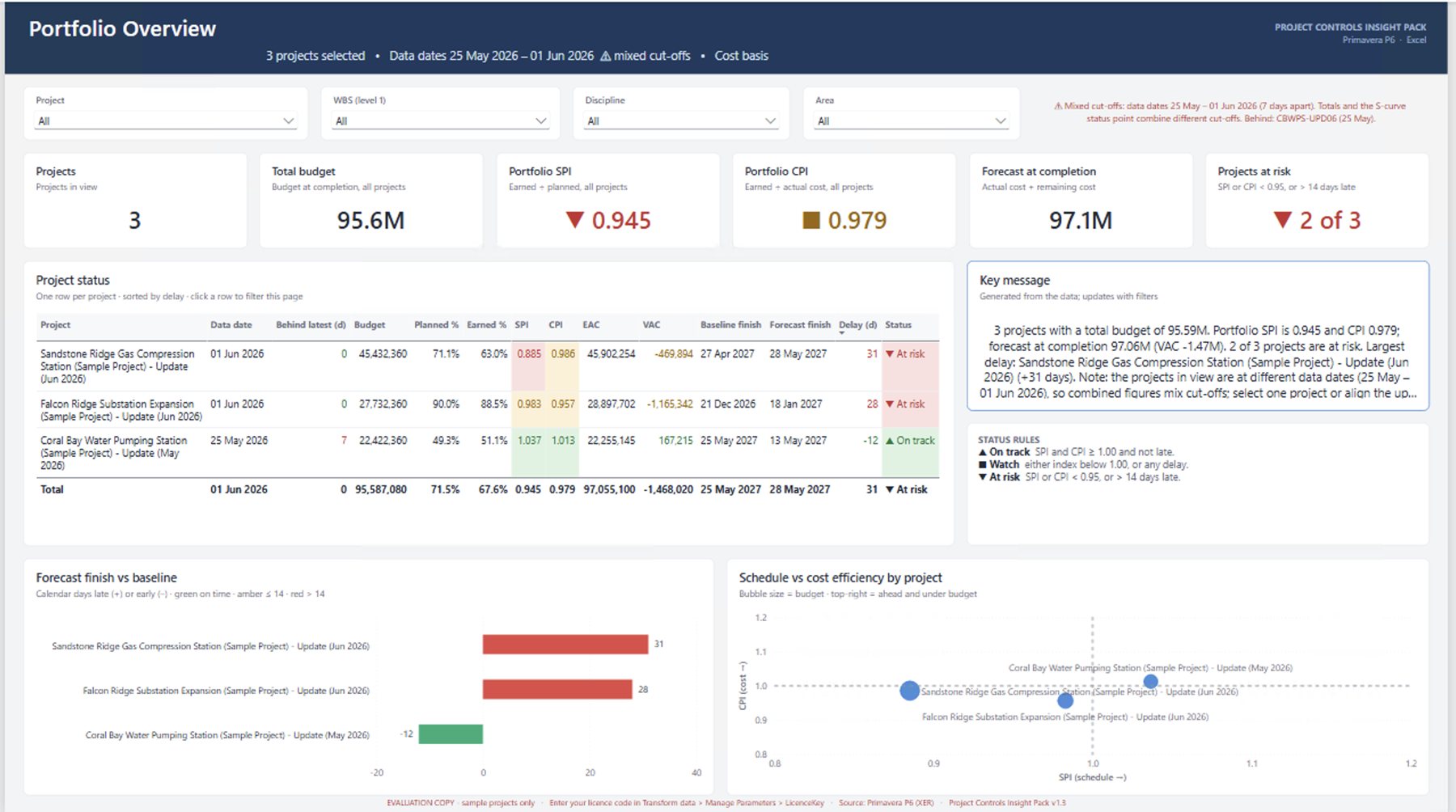
Status of every project, delay vs baseline, SPI vs CPI, projects at risk and a cut-off check.
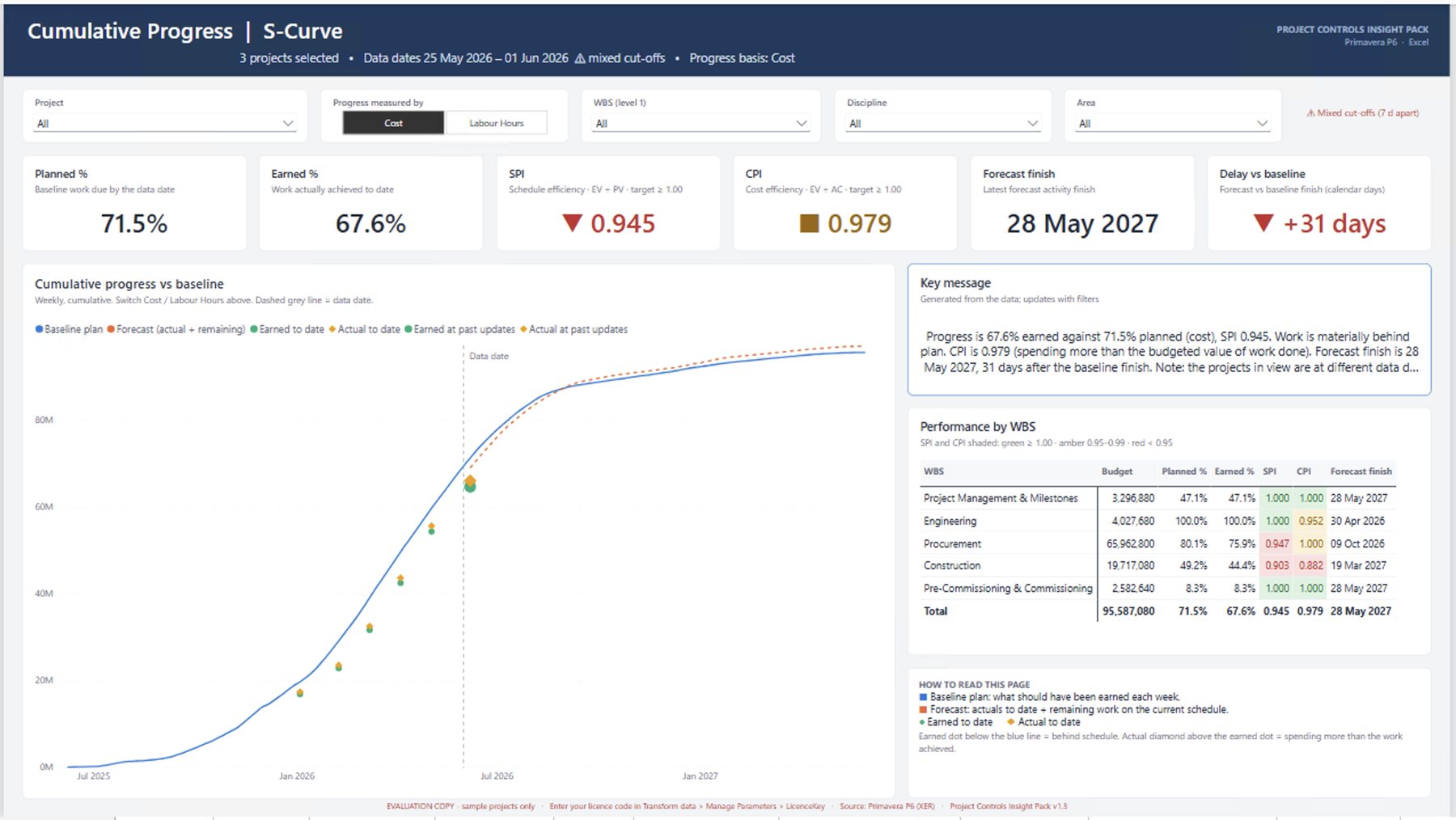
Baseline vs forecast, earned and actual. Switch between cost and labour hours.
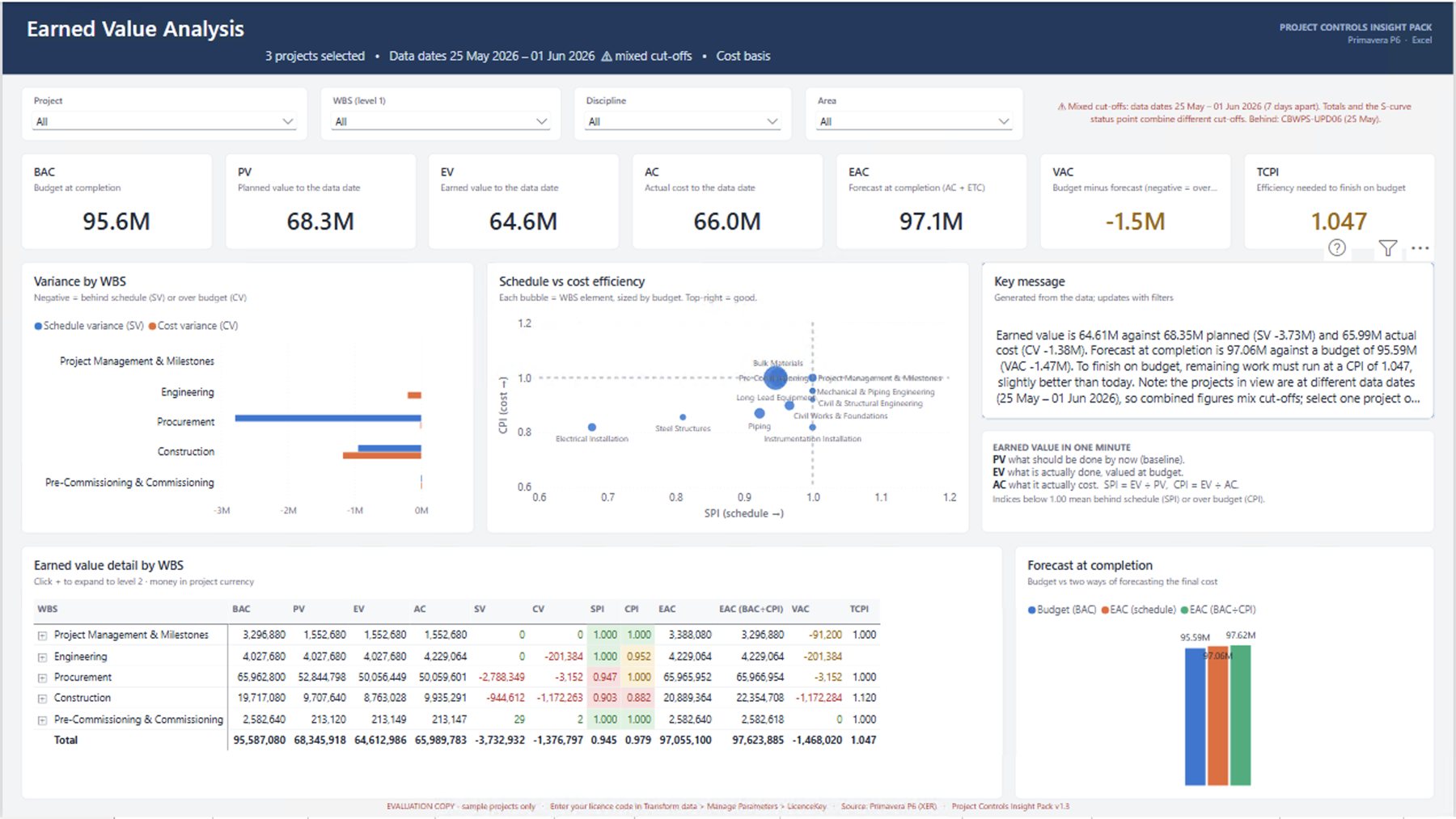
BAC, PV, EV, AC, EAC, VAC and TCPI, with variance by WBS.
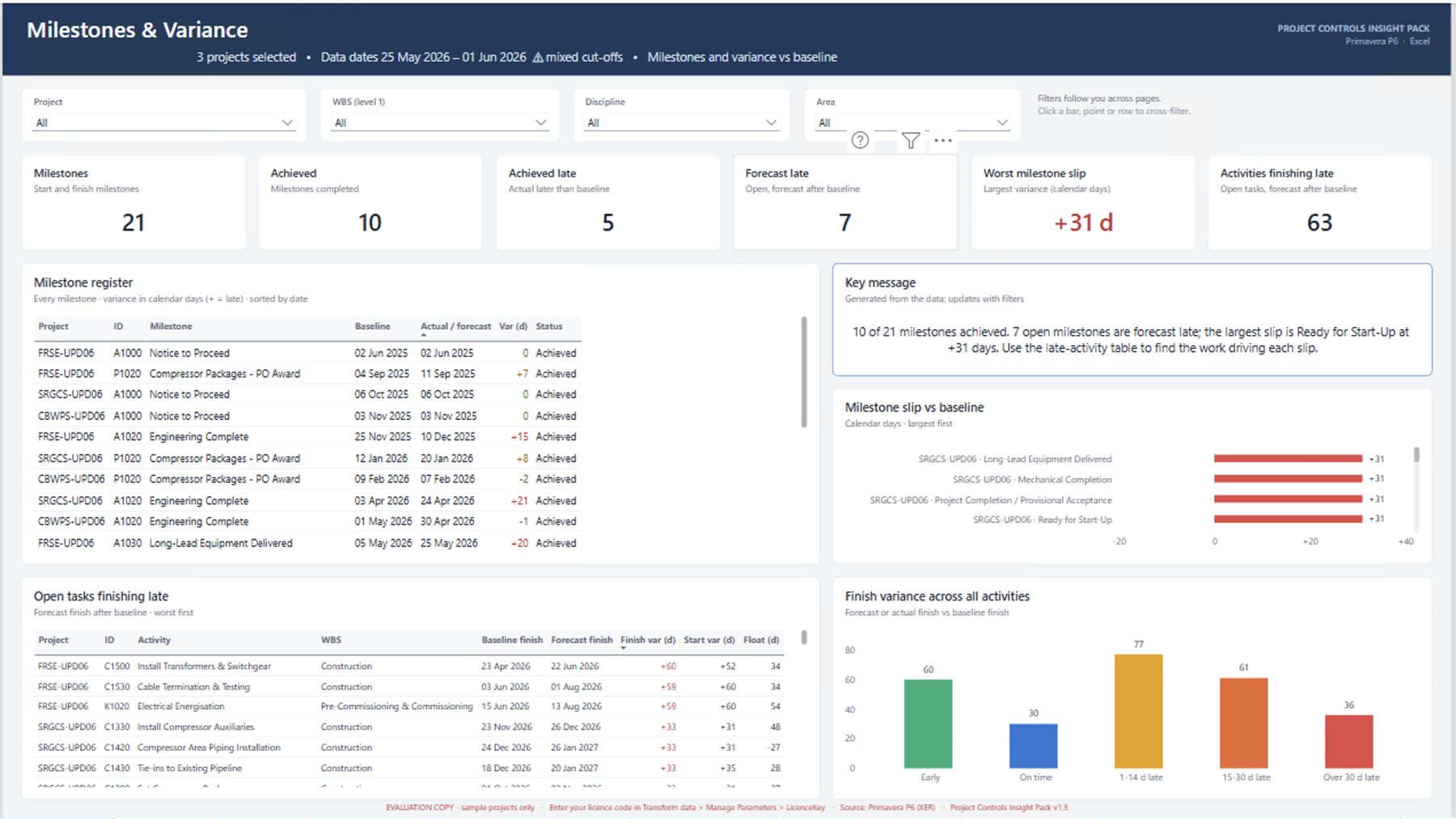
Key dates against the baseline: achieved late, forecast late and the biggest slips.
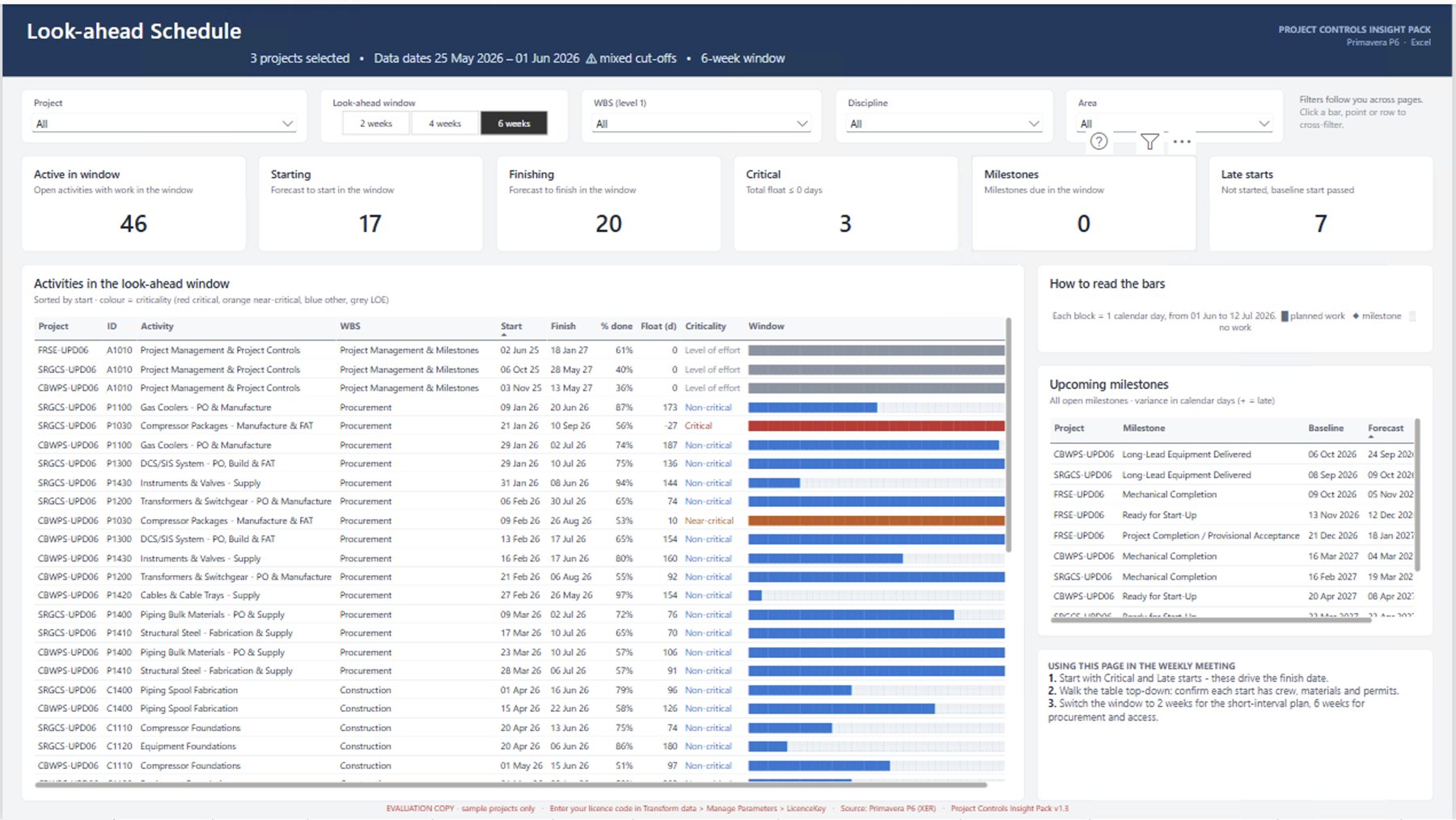
2, 4 or 6-week window, critical activities, late starts and upcoming milestones.
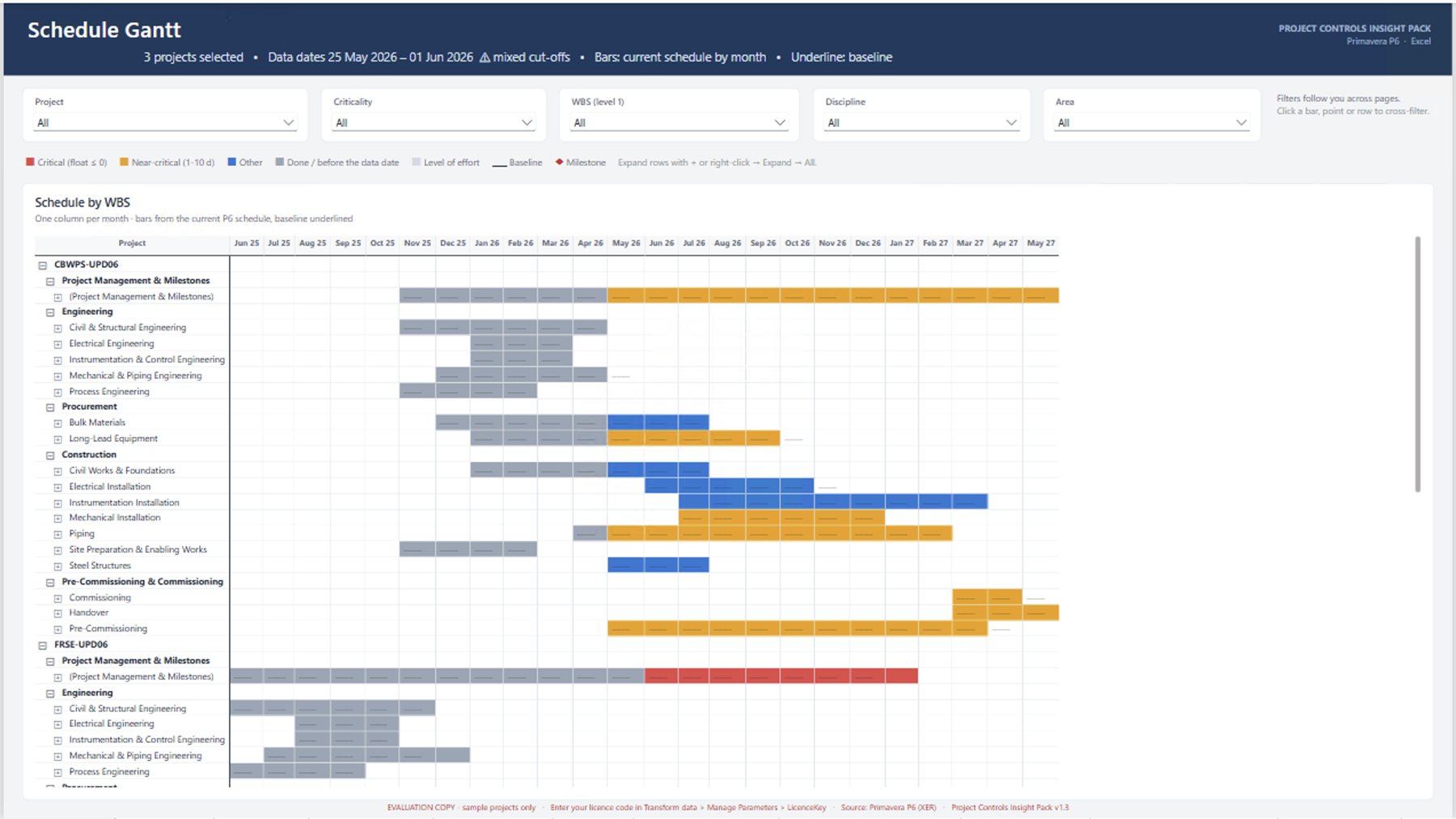
Schedule by WBS, coloured by float, with the baseline underlined.
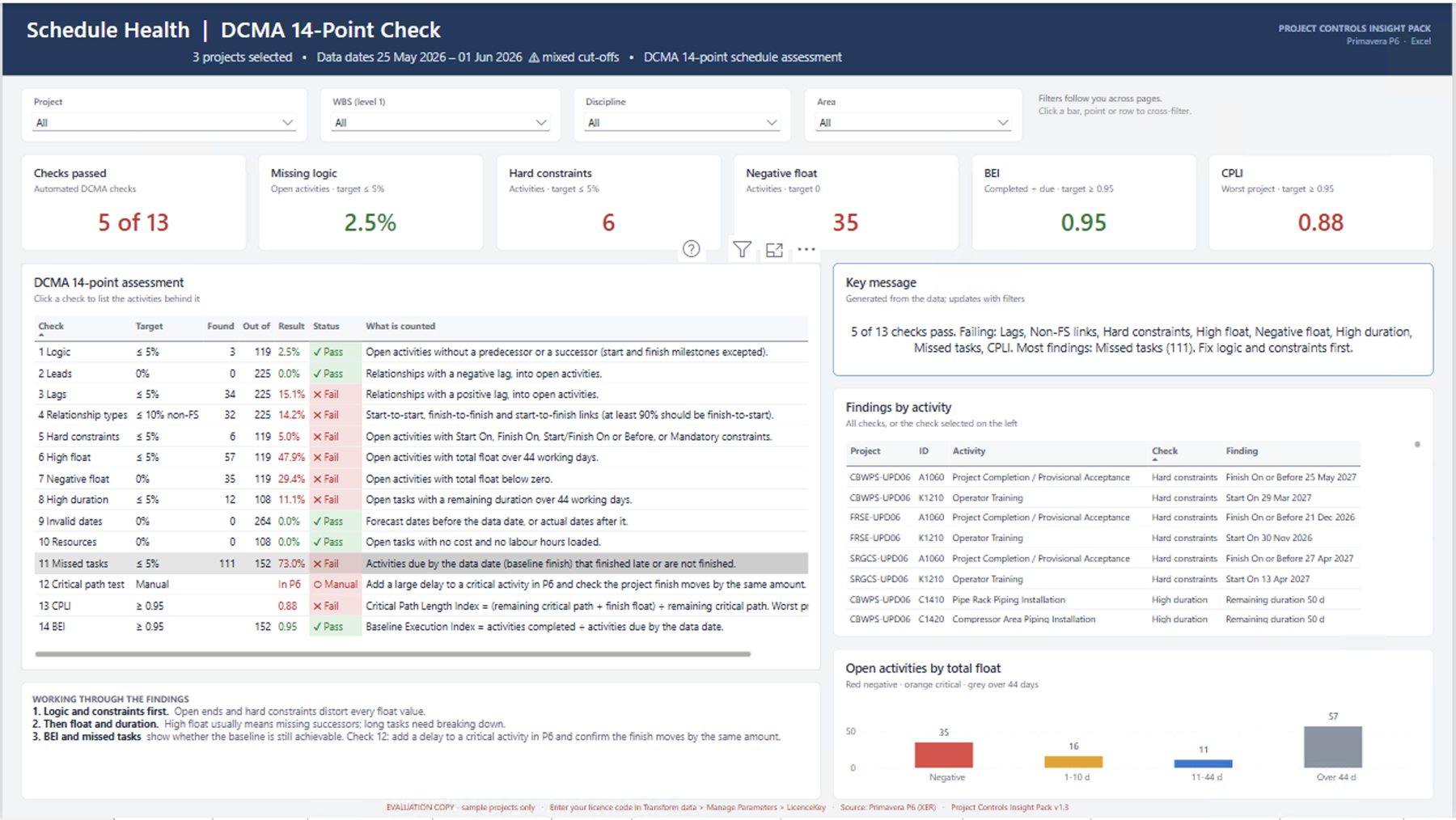
DCMA 14-point check, with the activities behind each failed check.
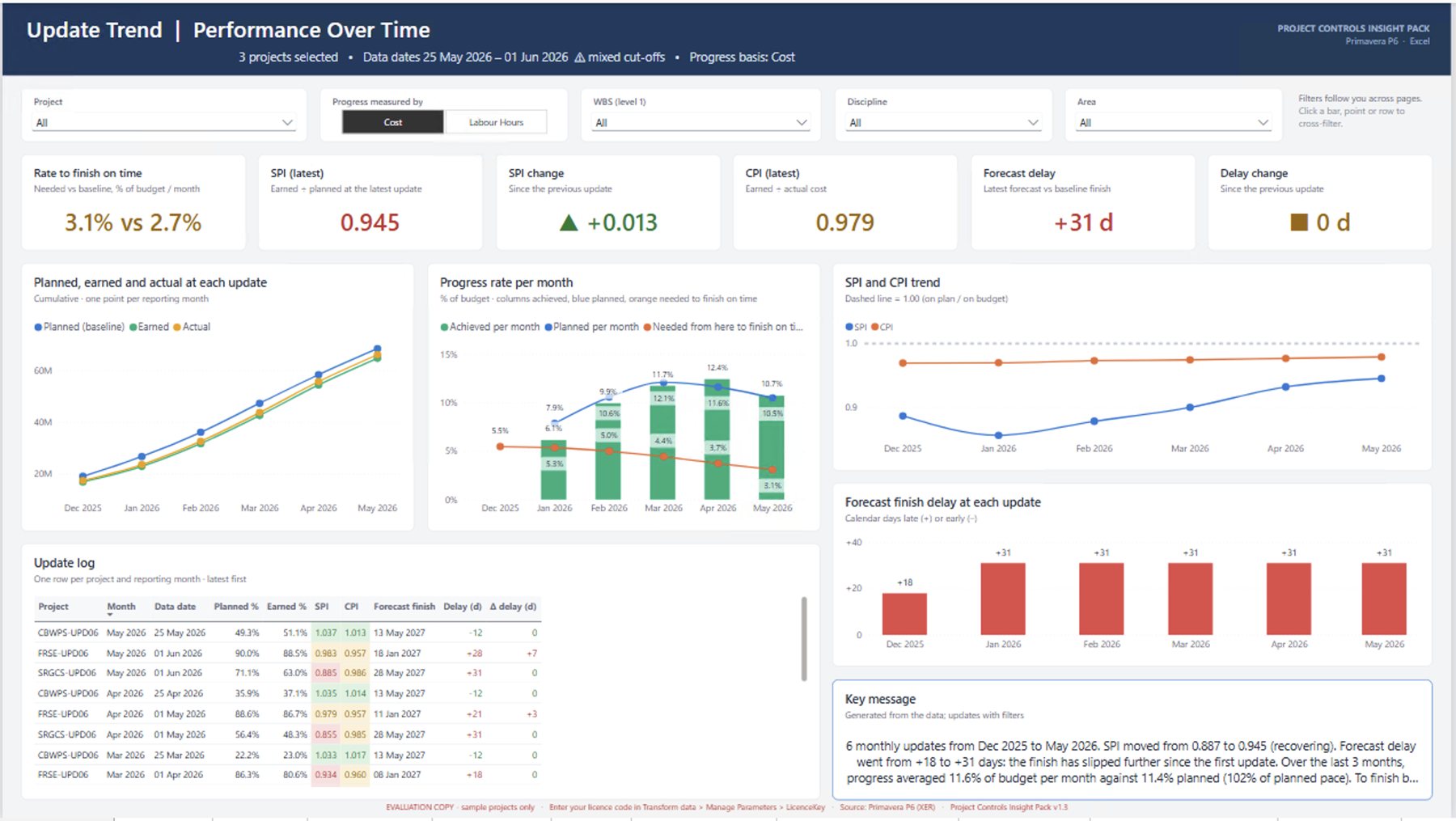
SPI, CPI and delay month by month, plus the rate needed to finish on time vs the baseline's pace.
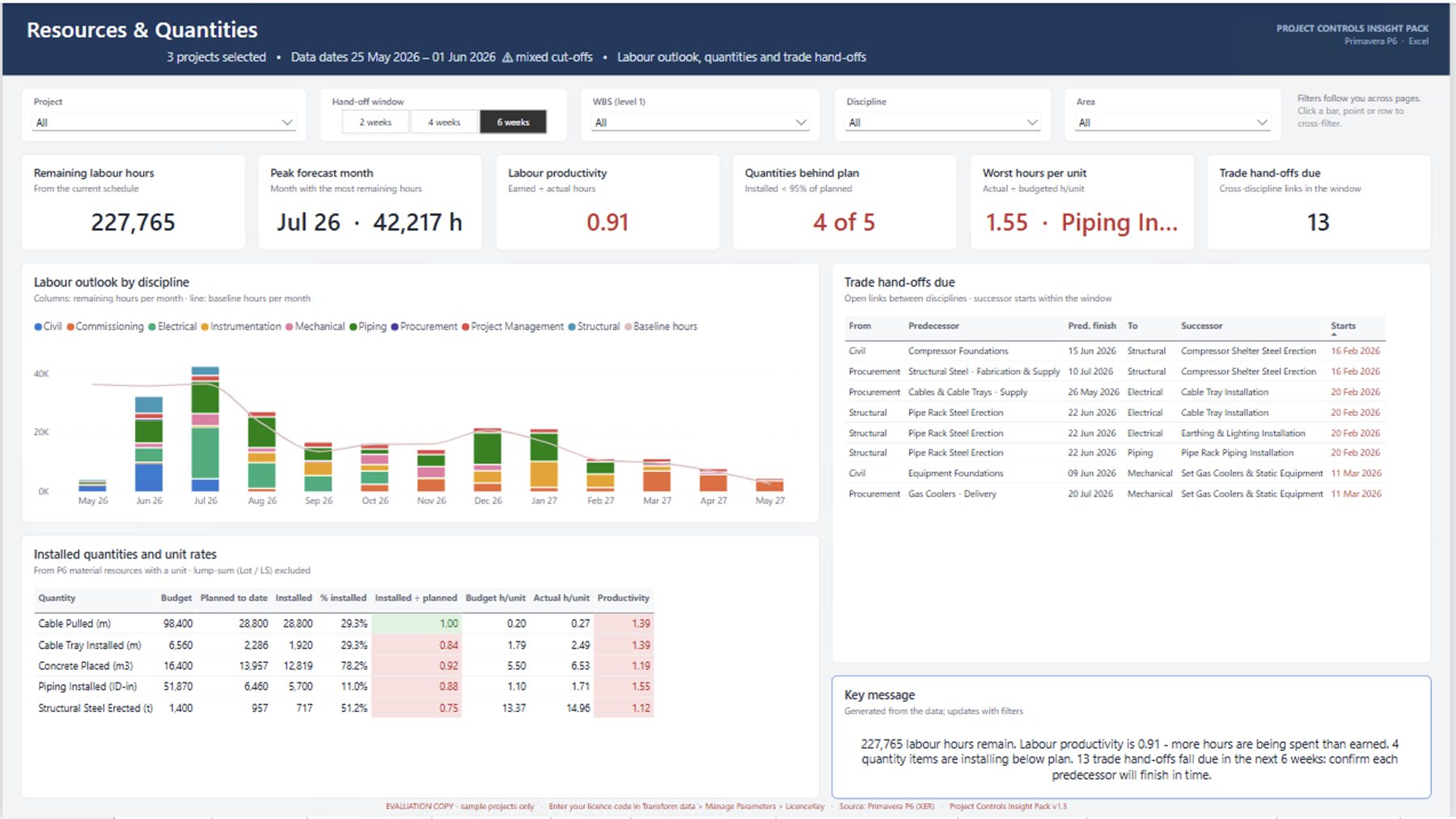
Labour outlook, productivity, quantities installed vs planned and trade hand-offs.
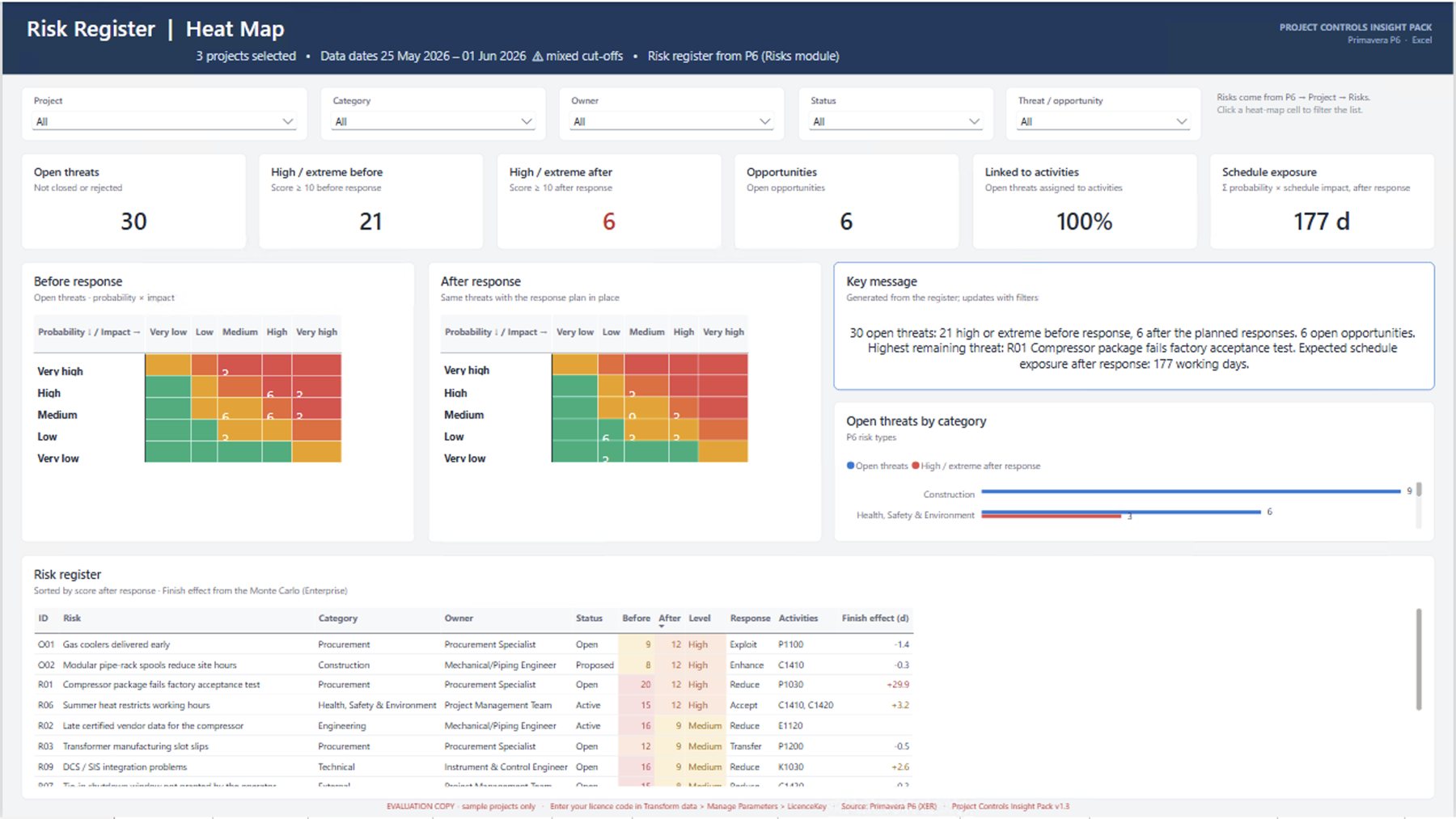
The P6 risk register with before and after heat maps and schedule exposure.
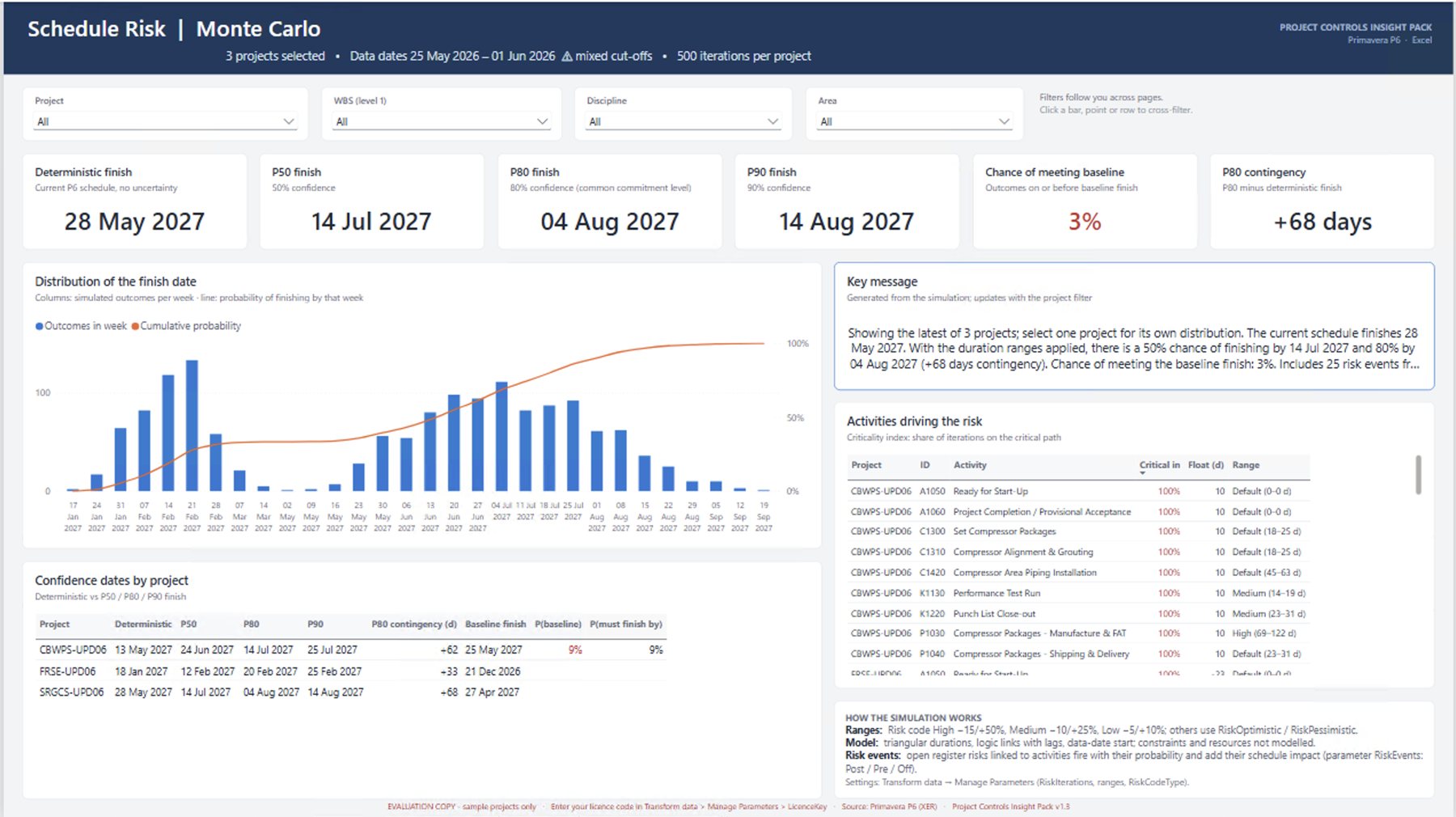
Monte Carlo P50, P80 and P90 finish dates, the chance of meeting the baseline and what drives it.
Click any page to see it full size. Screenshots use the three sample projects included in the free evaluation.
Details that save you time every cut-off
Load one multi-project XER or a folder of XERs. The portfolio rolls up automatically and warns you when projects have different data dates.
Each page writes a short summary from your data, ready to paste into the monthly report.
Switch progress between cost and labour hours with one click, on the S-curve and trend pages.
Project, WBS, discipline and area filters carry across pages. Click any bar or row to cross-filter.
One payment. Unlimited projects.
A company licence covers your whole organisation. An individual licence is for one named person, such as a freelance planner or consultant.
- Pages 1–6: Portfolio, S-Curve, Earned Value, Milestones, Look-ahead, Gantt
- Unlimited projects
- Unlimited users in one company
- Upgrade to Complete later for $500
- Everything in Progress Reporting
- Schedule Health (DCMA 14-point), Update Trend, Resources & Quantities
- Risk Register and Monte Carlo schedule risk
- Unlimited projects and users in one company
- Pages 1–6: Portfolio, S-Curve, Earned Value, Milestones, Look-ahead, Gantt
- Unlimited projects
- Licensed to you by name, for your own work
- Upgrade to Complete later for $200
- Everything in Progress Reporting
- Schedule Health (DCMA 14-point), Update Trend, Resources & Quantities
- Risk Register and Monte Carlo schedule risk
- Unlimited projects, licensed to you by name
| Report page | Progress Reporting | Complete |
|---|---|---|
| 1–6 · Portfolio, S-Curve, Earned Value, Milestones, Look-ahead, Gantt | ✓ | ✓ |
| 7 · Schedule Health (DCMA 14-point) | – | ✓ |
| 8 · Update Trend | – | ✓ |
| 9 · Resources & Quantities | – | ✓ |
| 10 · Risk Register | – | ✓ |
| 11 · Schedule Risk (Monte Carlo) | – | ✓ |
| Company licence (regular price) | $499 | $999 |
| Company launch price (code LAUNCH30) | $349 | $699 |
| Individual licence (one named person) | $149 | $349 |
| Upgrade to Complete | $500 company · $200 individual | |
Free evaluation: all 11 pages
Open the full pack on three sample projects and click through every page before you decide.
- 01Get the evaluationOpen it in Power BI Desktop and explore the sample projects.
- 02Buy a licenceYou receive a licence code by email.
- 03Add your projectsEnter the code, point the pack at your P6 exports and refresh.
Common questions
What do I need to run it?
Power BI Desktop (a free download from Microsoft) and exports from Primavera P6. To share the reports with colleagues online, publish them to Power BI Service as your organisation normally does.
Which P6 data does it use?
Your P6 exports (XER files). One multi-project XER or a folder of XERs both work, so you can report on one project or a whole portfolio.
Company or individual licence: which do I need?
A company licence covers one legal entity, with unlimited users and unlimited projects. If you work across several companies in a group, each legal entity needs its own licence. An individual licence is for one named person, such as a freelance planner or consultant, using the pack for their own work. If colleagues need to use or edit the reports, choose the company licence.
Is it a subscription?
No. It's a one-off payment for the licence.
Can I start with Progress Reporting and upgrade later?
Yes. Upgrade to Complete at any time for $500 on a company licence, or $200 on an individual licence.
Can you tailor it to our company?
Yes. Startline can add your branding, extra pages, a direct P6 database connection or links to cost and ERP data. Tell us what you need.
See your own projects in it.
Start with the free evaluation, or ask us to set it up for you.